
Play Bridge Online by Shark Bridge
Play 4 ACBL bridge games a day. Earn rewards all month.#
You play with robots but compete with real players: 30 to 50 in each game, over 100 every day. Climb the Daily Leaderboard and earn extra ACBL Masterpoints for a strong finish.
New here? You start with 5 free SB Credits, no expiry. Already playing? Log in.
Upcoming events
All dates and times are Eastern Time.
Red game
November 10 is Red Day in the featured 18-board Game-Day event
Until November 11, 2026
Silver game
November 11 is Silver Day in the featured 18-board Game-Day event
Until November 12, 2026
Gold game
November 12 is Gold Day in the featured 18-board Game-Day event
Until November 13, 2026
Play & Learn
Introducing Losing Trick Count
2:00 PM Eastern Time
Play Shark Bridge games sanctioned by the American Contract Bridge League
Play 18 or 12 board robot games through the day. Climb the Daily Leaderboard for bonus Masterpoints and collect badges that pay free SB Credits. Each Game Day ends at 4:00 AM Eastern Time, and results come out after that.

Play a 12-board game and get feedback instantly. After each board, you see your final score and what was possible. Every account starts with 5 free SB Credits. After those, each game costs 2.25 credits and can earn ACBL Masterpoints.

Play and Learn is a weekly game and lesson on Shark Bridge. After each round, your teacher reviews the hands just played.
Your first games are on us#
Every Shark account comes with 5 free SB Credits, enough for two 12-board games or one 18-board game, and they never expire. Under 5 Masterpoints? Your 12-board games are free.
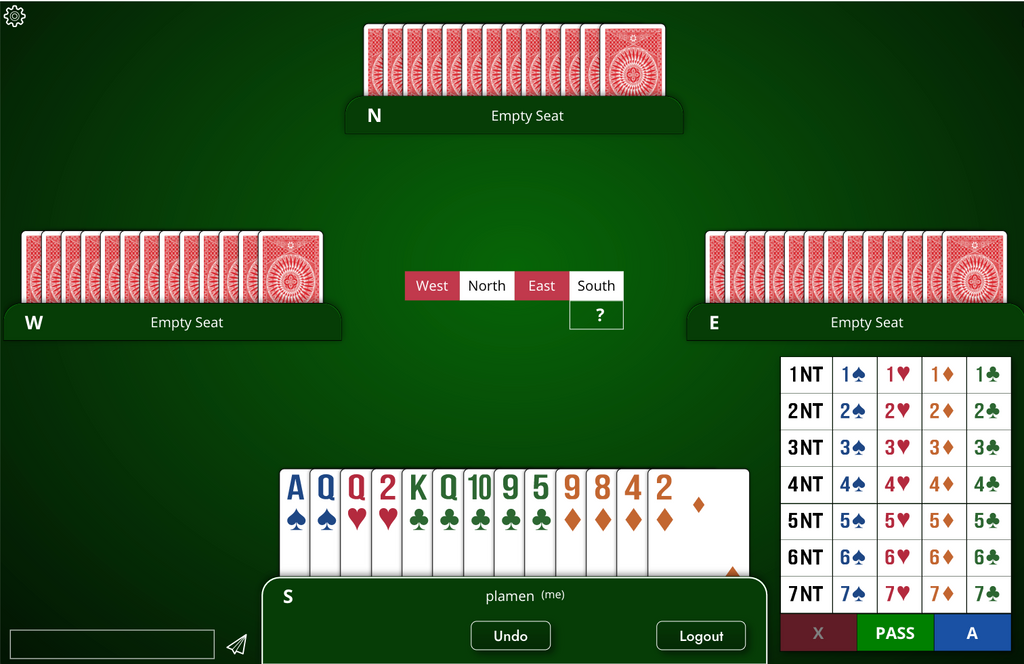
Get the Shark Bridge app
Free to install on iPad, iPhone, Mac and Windows.

Outsmart, outplay, and out-battle your opponents in BridgeBattle™
BridgeBattle™ is your trick-taking battlefield.
Fun, Quick and Competitive.
Enjoy an exciting new way to play cards!
Powered by Shark's cutting-edge card game platform and the American Contract Bridge League (ACBL).
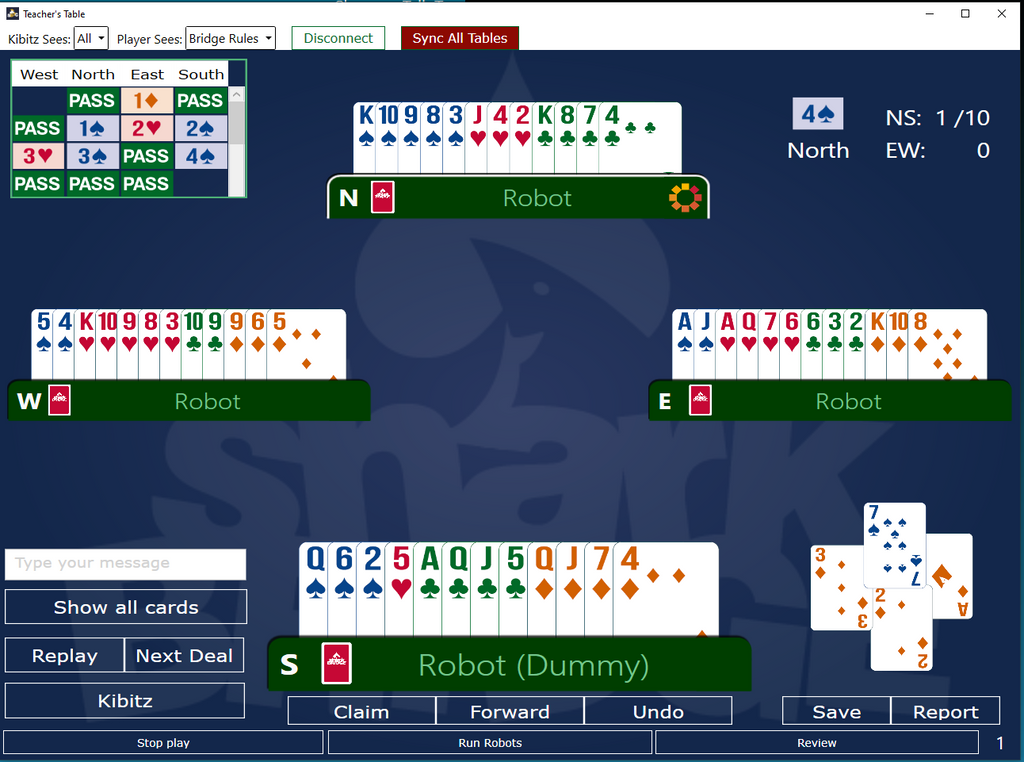
Shark Bridge Teacher's Console
Teach up to 500 students at a time, with live video and voice, robots to fill every table, and full control from your console.
We are a technology partner of BridgeWhiz, the youth bridge program for grades 4 through 12
BridgeWhiz, affiliated with the ACBL Educational Foundation, teaches contract bridge to students in grades 4 through 12. Its partners include ACBL, ABTA and Shark Bridge. Learn more about BridgeWhiz
Shark Bridge questions
What is Shark Bridge?
Shark Bridge is online contract bridge. You can play robots or friends in the app, join ACBL-sanctioned games at Online Bridge Club, or teach a class in the Teacher's Console.
How do I log in to Shark Bridge?
Go to arena.sharkbridge.club and sign in with your email, or with Google, Apple, Microsoft or MyACBL. If you are new, you can register on the same screen.
Is Shark Bridge free?
You can start free. Every Shark account comes with 5 free SB Credits, enough for two 12-board games or one 18-board game, and they never expire. ACBL members with fewer than 5 lifetime Masterpoints play any 12-board game free until they reach 5. Once the free credits are used, a 12-board game costs 2.25 SB Credits. The app is free to install and try, and a free 12-board social game without Masterpoints runs every day. A VIP subscription unlocks full access to the app but does not cover Masterpoint games.
How do I use my 5 free SB Credits?
They are already in your account, so there is no code to enter. Sign in at arena.sharkbridge.club, choose a 12-board or 18-board game and play.
Do players with under 5 Masterpoints pay?
Not for 12-board games. ACBL members with fewer than 5 lifetime Masterpoints play any 12-board game free until they reach 5, and they keep their 5 free SB Credits for other games.
What is the Game-Day Challenge?
It is a month-long competition played with robots. Each day your results set your place on the Daily Leaderboard, where a qualifying finish earns extra Masterpoints. Over the month you collect badges that pay free SB Credits.
Do the games award ACBL Masterpoints?
Yes. Game Day, Insta-Game and Play & Learn all award ACBL Masterpoints.
Which devices does Shark Bridge run on?
iPad, iPhone, Mac and Windows 11.
Can I play bridge against robots?
Yes. Three robots take the other seats, so you can play at any hour without waiting for a table.
Is there a tool for bridge teachers?
Yes, the Teacher's Console. You can teach up to 500 students at a time with live video and voice. It runs on a Windows computer, or on a Mac with a Windows virtual machine, and students join from a web browser. Teachers ask Shark Bridge for an account, and not every request is accepted.
Online bridge from Shark Bridge
Shark Bridge is contract bridge software and online bridge games, made by The Shark Bridge Company. You can play the card game against robots or with friends at any hour, enter ACBL Masterpoint games, and take lessons from a teacher. Bridge teachers use our Teacher's Console to run their classes, online or in the room.
Read moreRead less
Play bridge online with robots
You don't need a partner or a table to start. Three robots sit down with you, so you can play solo bridge against robots whenever you have a spare hour. They know the common bidding systems and conventions. New players start on SAYC, and you confirm or change your system before you join a game. Our robot convention cards include 2/1 Game Force.
The robot behind the game
Our bridge game software started with the robot. John Norris, a professional player and coder from Denmark, began work on the idea in 1997. Shark went on to win the World Computer-Bridge Championship in 2011 and 2014.
ACBL Masterpoint games online
To compete, join our ACBL Masterpoint games. They are ACBL sanctioned, and the American Contract Bridge League lists Shark Bridge among its online Masterpoint games. The Game-Day Challenge runs all month, played with robots. Insta-Game is 12 boards at any time, with feedback after every board. Play & Learn is a weekly game and lesson, and the teacher reviews the hands after each round. All of them award Masterpoints. Every Shark account comes with 5 free SB Credits, enough for two 12-board games or one 18-board game, and ACBL members with fewer than 5 lifetime Masterpoints play 12-board games free.
The Shark Bridge app
The Shark Bridge app runs on iPad, iPhone, Mac and Windows 11, and it is free to install and try. You can play the bridge game with friends or robots and open the hands your teacher shares. A VIP subscription gives you full access across your devices, but it does not cover ACBL Masterpoint games.
Teach bridge online
The Teacher's Console lets you teach bridge online or in a classroom. Teachers run it on a Windows computer, or on a Mac with a Windows virtual machine. Students join from a web browser, and a class takes 1 to 500 students at a time, with video and voice. You seat students at tables, deal prepared hands and fill empty seats with robots. Shark is also the technology partner of BridgeWhiz, the youth program for grades 4 to 12 affiliated with the ACBL Educational Foundation. Need lessons? Find a bridge teacher.

About The Shark Bridge Company
The Shark Bridge Company started in June 2020, after teachers asked that April for a way to teach bridge online. Co-founder Milen Milkovski has played bridge since age 12, has built bridge games for mobile devices since 2008, and started the Shark Bridge project in 2014. You can read our story, or sit down and play a few hands.
Make today's game count#
A new Game-Day starts at 4 AM Eastern.